
One changed line can derail a panel build. Here’s how to catch it
Engineering change orders and BOM revision control: a checklist for panel shops
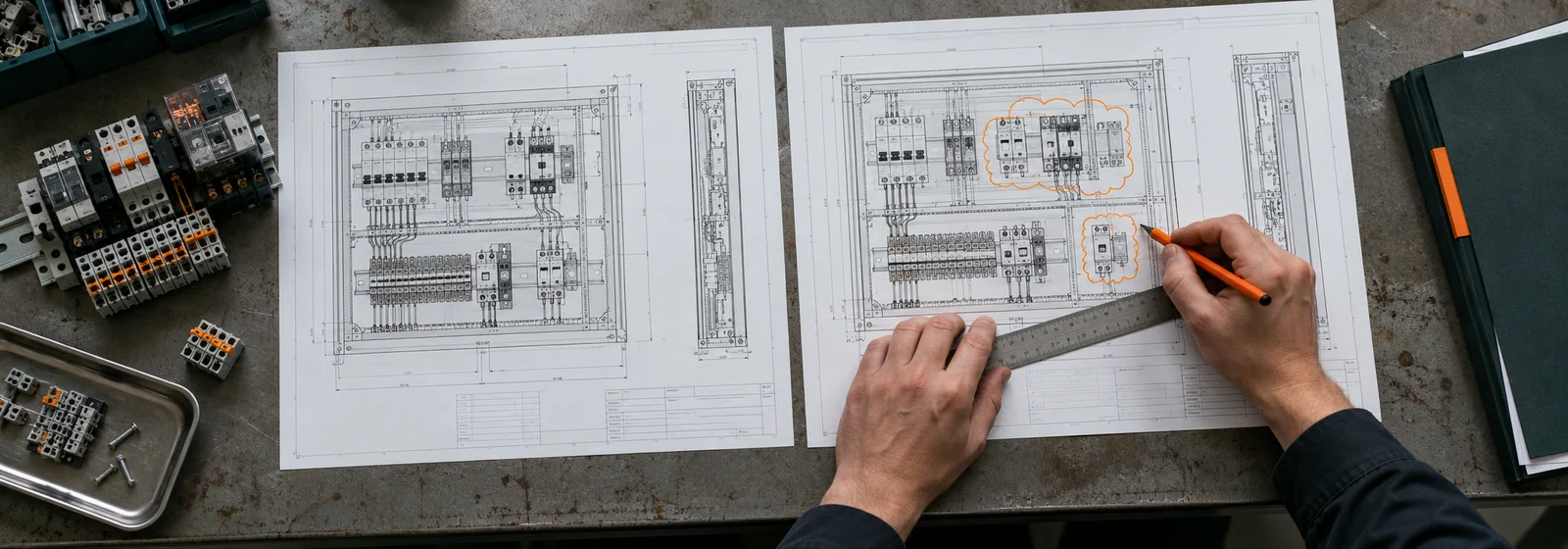
An engineering change order (ECO) is the formal authorisation to change a released design. A sound process has five steps: raise a change request, assess its impact on cost, schedule, quality and compliance, approve it, implement it across the BOM, drawings and orders, then verify and close it. In a panel shop the critical part is telling purchasing and production before parts are ordered or built.
- Separate the three documents: a request (ECR) asks, an order (ECO) authorises, and a notice (ECN) tells everyone.
- Impact analysis must cover purchasing, production, quality and compliance, not only engineering.
- Research on engineer-to-order firms finds changes reach purchasing and production late, so rework follows.
- Revision control means one controlled source of truth, with every BOM line traceable to a revision.
- Count and review internal changes too. If you do not record them, you cannot learn from them.
Few things erode margin in a panel shop as quietly as a drawing revision. The customer sends Rev C of the schematic on Tuesday, the purchase order for Rev B went out on Monday, and the panel on the bench has already been laid out. Whether that becomes a minor correction or a four-figure rework depends on one thing: how quickly and completely the change reaches everyone it affects. This guide explains the engineering change order process, how it differs from the documents around it, and how to control BOM revisions so that the right people know before money is spent.
ECR, ECO and ECN: three documents, three jobs
The terms are often used loosely, but they do different jobs. According to a widely cited explainer from SimplerQMS, an engineering change request (ECR) is the initial proposal that identifies the need for a change, raised before evaluation. An engineering change order (ECO) is the formal authorisation that approves the change and defines how it will be implemented. An engineering change notice (ECN) communicates the approved details to stakeholders, and is issued after approval and again at closure. Small shops can merge these into one form, but the three jobs, asking, authorising and announcing, still need to happen, and in that order.
Five steps, and impact assessment is where changes go wrong.
- 1RaiseOutput: a change request recording what, why and which revision
- 2Assess impactOutput: an impact list across cost, schedule, quality and complianceThe step most often done badly
- 3ApproveSign-off: engineering, purchasing, production and, where relevant, compliance
- 4ImplementUpdate: BOM, drawings, purchase orders and work already in progress
- 5Verify and closeOutput: confirmation it was done, and everyone notified
Customer revises the job from revision B to C: contactor K3 goes from 2 to 3.
| Where it shows up | What has to happen |
|---|---|
| BOM | Quantity changes from 2 to 3 |
| Open purchase order | Add one unit before the order is released |
| Wiring documents | Update to revision C |
| Quote | Re-price the extra part and any labour |
Part references and quantities in the example are invented for illustration.
The five steps of the process
Both Arena, a product lifecycle management vendor, and SimplerQMS describe essentially the same sequence. Adapted for a panel shop it looks like this.
- Raise the request. Anyone can raise a change: the customer, your engineer, the shop floor or a supplier. Record what is changing, why, and which revision it applies to.
- Assess the impact. Estimate the effect on cost, schedule, quality and compliance. This is the step most often done badly, and it is covered below.
- Approve. The right people sign off: engineering, purchasing, production and, where the panel carries a listing mark, whoever owns compliance. For customer-driven changes, include the customer's written acceptance of any price or schedule change.
- Implement. Update the BOM, drawings, wire lists, purchase orders, work instructions and any documentation pack, and handle work already in progress and stock already bought.
- Verify and close. Check the change was carried out as approved and achieved its purpose, issue the notice, and close the order with an audit trail.
Why impact analysis is where changes go wrong
Academic research on engineering change management in engineer-to-order companies, published by Springer, found a consistent set of problems, and they will sound familiar. Impact assessments rely mainly on the experience of project managers and are sometimes wrong. Changes often exceed the scope originally agreed. Estimating rework and scrap is hard. Updates move through separate systems one at a time, and planners re-enter activity lists from spreadsheets. Production and purchasing are often brought in only after approval, and communication with suppliers relies on email and phone. The paper also notes that changes caused by internal errors are often fixed locally without formal records, so their frequency and cost cannot be analysed, and that neither of the two companies studied carried out a review after implementation. The recommendations follow directly: notify production and purchasing early so they can shift work or delay procurement, store change data and calculations centrally, document internal changes, and compare estimates with actual outcomes afterwards.
For a panel shop that translates into a short impact checklist.
Impact analysis checklist
- Which BOM lines are added, removed or changed, and which are only quantity changes?
- Have any affected parts already been ordered, received or installed? What is the cancellation, return or restocking position?
- Do any changed parts have different lead times from the originals?
- Does the enclosure layout, wiring, labelling or nameplate need to change?
- Does the change alter the short-circuit current rating, component listing or any compliance document?
- How much engineering, build and testing labour is affected, including rework of completed work?
- What is the effect on the delivery date, and does the customer agree to it?
- What is the cost to the customer, the cost to you, and who bears it?
- Which jobs, quotes or open purchase orders refer to the old revision?
BOM revision control: one source of truth
Revision control is the discipline that makes the process above work. At its simplest it means that for every job there is one current BOM, every line in it is traceable to a revision, and anyone can see what changed between revisions. Spreadsheets can do this if they are disciplined, but they depend on people never saving a copy called "final_v3_NEW".
- Name revisions consistently and keep the revision on every document, quote, purchase order and nameplate record.
- Compare, do not eyeball. Generate a list of added, removed and changed lines for each revision, with quantities and part numbers, and have an engineer review it.
- Define effectivity. State which units or serial numbers a revision applies to, especially in multi-panel jobs.
- Freeze before ordering. Agree the BOM revision that long-lead orders are placed against, so later changes are treated as formal variations.
- Link changes to quotes. A revision that changes cost should trigger a re-price, not a surprise at invoicing.
OpenBOM, a BOM management vendor, lists the usual causes of BOM errors: quantity mistakes, missing components, late costing, requirements that engineering, production and procurement do not share, and regulatory requirements lost between engineering and purchasing. Most of them are revision problems in disguise. A change was made in one place and not carried to the others.
A simple ECO form for a small shop
SimplerQMS suggests that an ECO should capture, among other things, an ECO number and title, the date, a description of the change and the reason, the affected parts and documents, the proposed modifications, an impact assessment, an implementation plan, the required approvals, supporting documentation and a revision history. You do not need heavy software to use that. A one-page template covering the following is enough to start.
ECO form: minimum fields
- ECO number, title, date and requester
- Job number and drawing and BOM revisions (from and to)
- Description of the change and reason
- Affected parts, drawings, wire lists and documents
- Impact on cost, schedule, quality and compliance, with the estimate method
- Treatment of work in progress, stock on hand and parts on order
- Approvals: engineering, purchasing, production, compliance, customer
- Implementation checklist with owner and date for each action
- Verification and closure sign-off
Where panel shops are exposed to listing rules
If you build panels under a listing programme, a design change is not only a cost question. One vendor guide to the UL 508A panel shop programme says that any deviation from an approved design requires re-inspection and re-approval before the panel is labelled. That is a vendor's description, so confirm the current rules with UL Solutions or your qualified technical representative, but it is a good reason to include compliance in every impact assessment. Our UL 508A documentation checklist covers what the records should show.
Measure the process
Arena suggests tracking three simple measures: ECO cycle time, the cost of engineering changes and the number of open ECOs. Add a fourth that suits a panel shop: the number of changes that reached purchasing after an order was placed. Review them monthly and use the post-implementation review to fix the process, not to assign blame. Arena also reports customer results, such as a nearly 60 percent reduction in ECO review and approval time for one company after moving to a cloud product lifecycle system, but these are vendor-reported and depend heavily on the starting point, so use them as a prompt to measure your own cycle time, not as a benchmark.
Where automation helps
The slowest and most error-prone parts of change handling are comparing two revisions and working out what they affect. That is well suited to software: a comparison that lists every added, removed and changed line, cross-checked against open quotes and purchase orders, with an engineer approving the technical changes. Our revision tracking workflow is designed for exactly that, and it connects to our purchasing checks, so a change is caught before parts are ordered. See the whole Steady Rabbit AI practice for the other workflows we suggest.
Frequently asked questions
What is an engineering change order?
An engineering change order (ECO) is the formal authorisation to change a released product design, BOM or process. It records what is changing and why, the affected parts and documents, the impact on cost, schedule and quality, the implementation plan and the approvals required before the change is made.
What is the difference between ECR, ECO and ECN?
An ECR is the request that proposes a change, an ECO is the order that approves it and defines how it will be implemented, and an ECN is the notice that tells stakeholders about the approved change. Many small shops combine the three on one form but keep the three steps.
What are the steps in the engineering change process?
The usual five steps are: raise the change request, assess its impact, approve it, implement it across BOMs, drawings and orders, then verify the result and close the order with an audit trail. Production and purchasing should be involved before approval, not after.
How do you control BOM revisions?
Keep one controlled current BOM per job, label every document and order with the revision, generate a list of added, removed and changed lines for each new revision, state which units each revision applies to, and freeze the BOM before long-lead parts are ordered so later changes are treated as formal variations.
How should a panel shop handle a drawing revision after parts are ordered?
Raise an ECO, check which ordered or received parts are affected, assess cancellation or restocking costs and lead-time changes, get customer agreement to any price or schedule impact, update the BOM, drawings and purchase orders, and record the result. Treat it as a priced variation, not an absorbed cost.
What should an ECO form include?
At minimum: an ECO number and date, the job and revisions from and to, a description and reason, affected parts and documents, an impact assessment, treatment of work in progress and stock, the required approvals, an implementation checklist and a verification and closure sign-off.
Sources
- Springer: Engineering Change Management in the Engineer-to-Order Production Environment — Academic chapter. Problems with impact analysis, propagation, data management and post-implementation review, from two exploratory case studies.
- Arena: Keys to a Successful Engineering Change Management Process — Vendor article. Five-step process and KPIs; customer results are vendor-reported.
- SimplerQMS: Engineering Change Order (ECO) — Vendor article. ECR, ECO and ECN definitions, process steps and ECO form contents.
- OpenBOM: What Is the Cost of Bill of Materials (BOM) Mistakes? — Vendor article. Categories of BOM errors.
- Industrial Monitor Direct: Becoming a UL 508A Listed Panel Shop — Vendor knowledge base. Description of re-approval after design deviations; confirm with UL.
Prepared by the Steady Rabbit AI team from the published sources above. Figures and ranges from third parties are as reported by them and are not Steady Rabbit measurements. This is general information, not engineering, legal or compliance advice. Check current requirements and supplier data for your own jobs.
Where this fits in our workflows.
More guides for panel shops.
 Purchasing · 6 min read
Check the BOM against the PO before the wrong part is ordered
Compare the BOM, the quote and the purchase order line by line, so the wrong part is caught before it is ordered.
Read the guide ↗ Quoting · 7 min read
Quote a control panel without leaving money on the table
Eight steps from RFQ check to bill of materials, labour and margin, with a second review before it goes out.
Read the guide ↗ Compliance · 6 min read
Is your UL 508A documentation pack complete?
A checklist of the documents a UL 508A panel file needs, so gaps are found before an inspector finds them.
Read the guide ↗